

MyLeader360
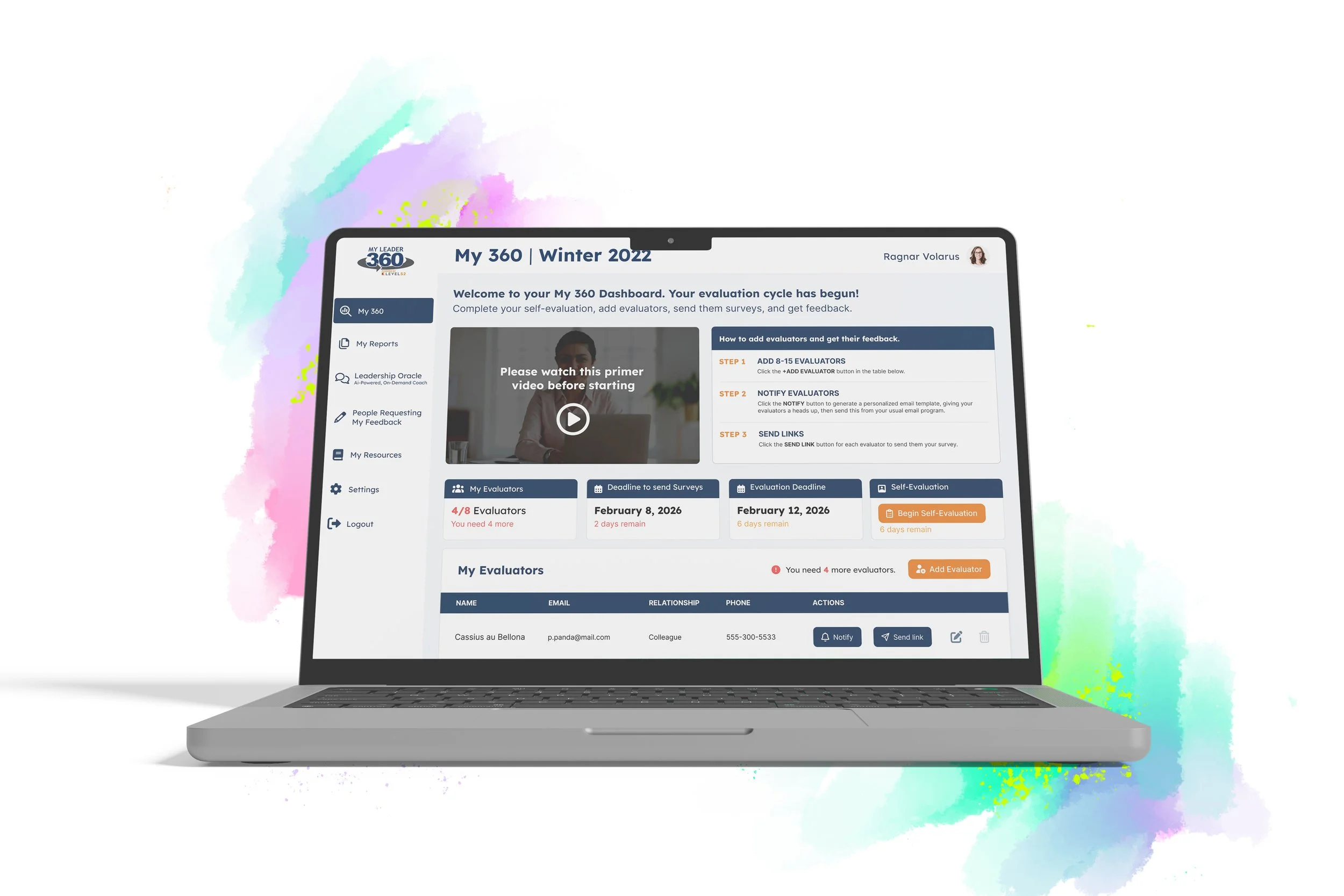
MyLeader360 is a reporting platform used at Calgary’s Level 52, a leadership development agency that hosts workshops that include leadership surveys for participants to collect feedback from their peers. Participants use MyLeader360 to create evaluator lists, send them survey links, and later provides reports. These reports provide the participant with insightful feedback and is used by their leadership coach to develop a plan for improving areas of weakness.
Design tools: Figma & Adobe Illustrator
User types: Participant, Evaluator, and Admin
Tech stack: Ruby on Rails backend | Next.js frontend
The problem
Level 52’s 360° feedback process was constrained by manual workflows. Staff had to coordinate evaluator lists, chase responses, and distribute reports for every participant, which created bottlenecks and made it hard to scale their programs. On top of that, survey data was captured and compiled by an external developer, adding delays, limiting flexibility, and reducing visibility into data quality.
The solution
MyLeader360 is a custom web platform that brings the entire evaluation lifecycle in-house. Participants can manage their own evaluators through a self-service portal, while Level 52 staff use an admin dashboard to configure surveys, oversee cohorts, automate reminders, and generate reports, turning a fragile, partner-dependent process into a scalable, reliable productized service.
Participant Dashboard
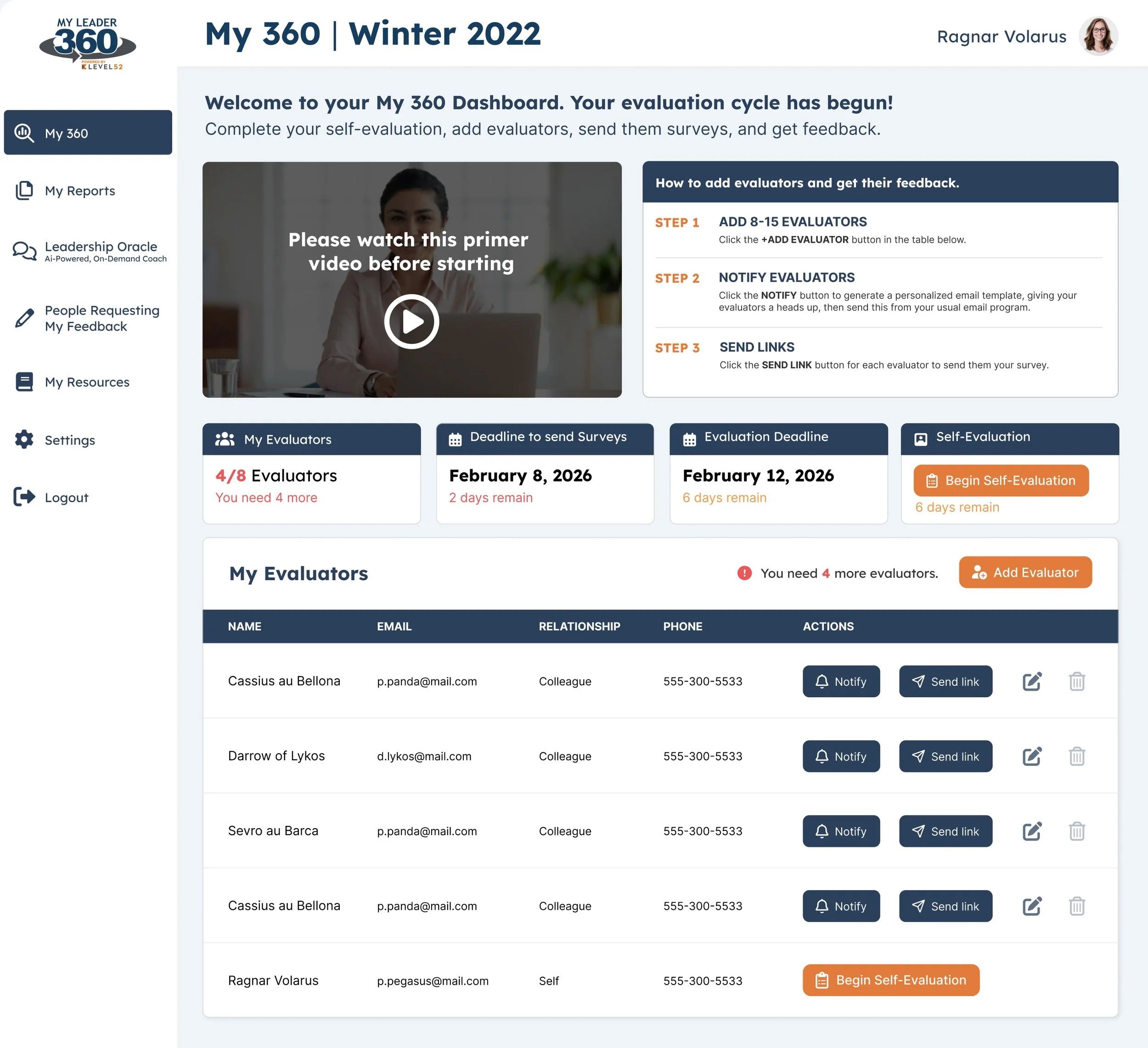
Participants can track deadlines for sending surveys and final evaluation cycle date. Colour-coded “days remaining” counter helps communicate how much time is left to meet the deadline.
Participants add Evaluators, people they want to send surveys too to offer leadership feedback. 8 is the minumum and a counter is used to help participants meet that requirement. Automated email reminders are sent within days of the deadline.
With a simple click of a button, participants can send the survey link to the evaluator
People Requesting My Feedback
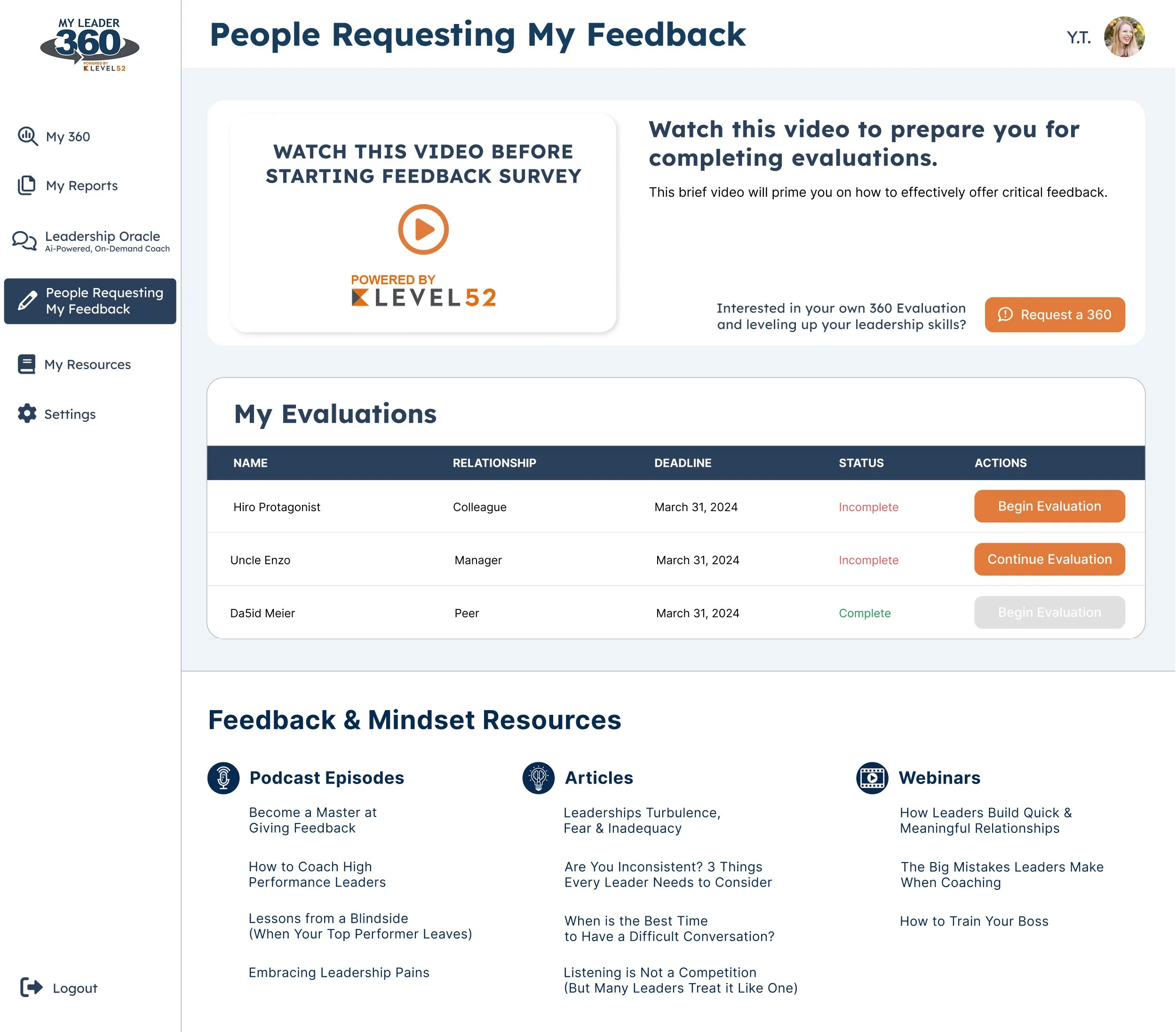
Participants may also be evaluators if a corporate team is evaluation each other. This table helps evaluators track the surveys that have been sent to them. You do not need to be participant to be an evaluator, it’s possible to create an account solely as an evaluator. 99% of the time non-participant evaluators complete surveys via the email link.
My Reports
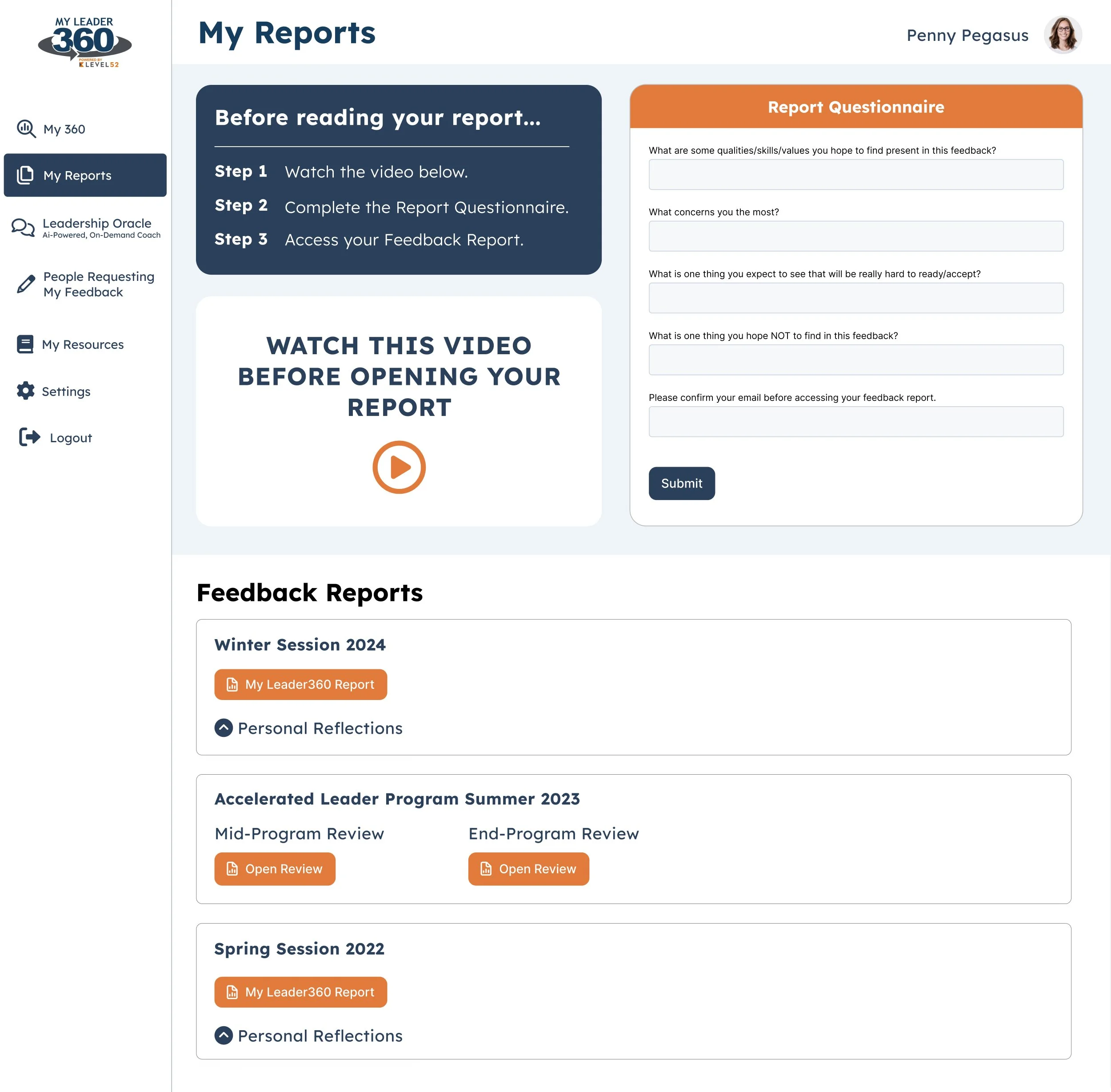
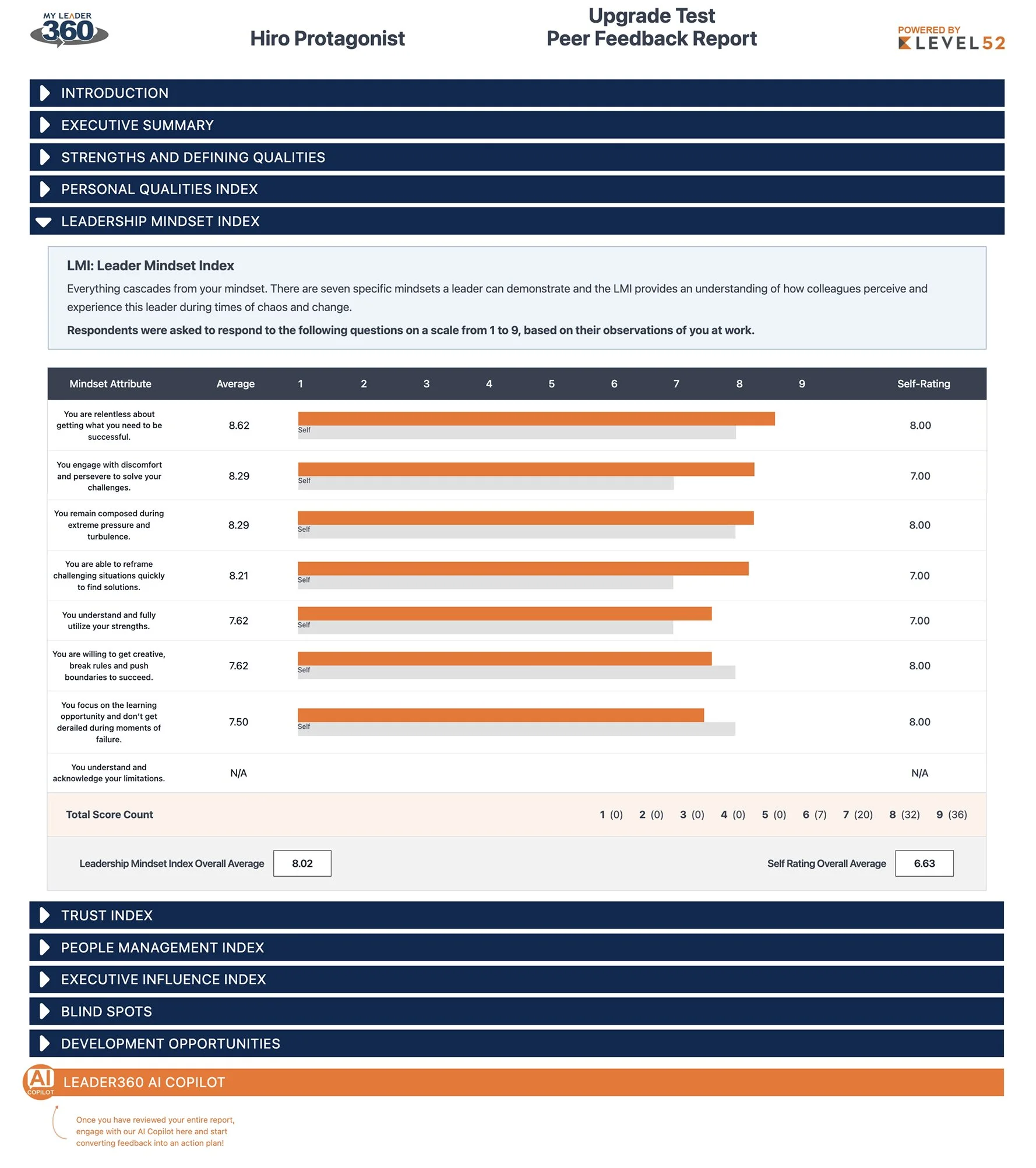
Once the final deadline has passed feedback is compiled into CSVs. Admin will use the backend to import CSVs to each participant which automatically creates an HTML report for participants to view.
HTML Report
We built an HTML report template that includes tables and graphs that report data is populated into from the CSV import. This report generation happens instantaneously when the admin uploads the CSV.

Admin Panel | Evaluation Cycles page
This resource lists all evaluation cycles, past, present, and future. Staff can also create, edit, and delete cycles.
Evaluations Page
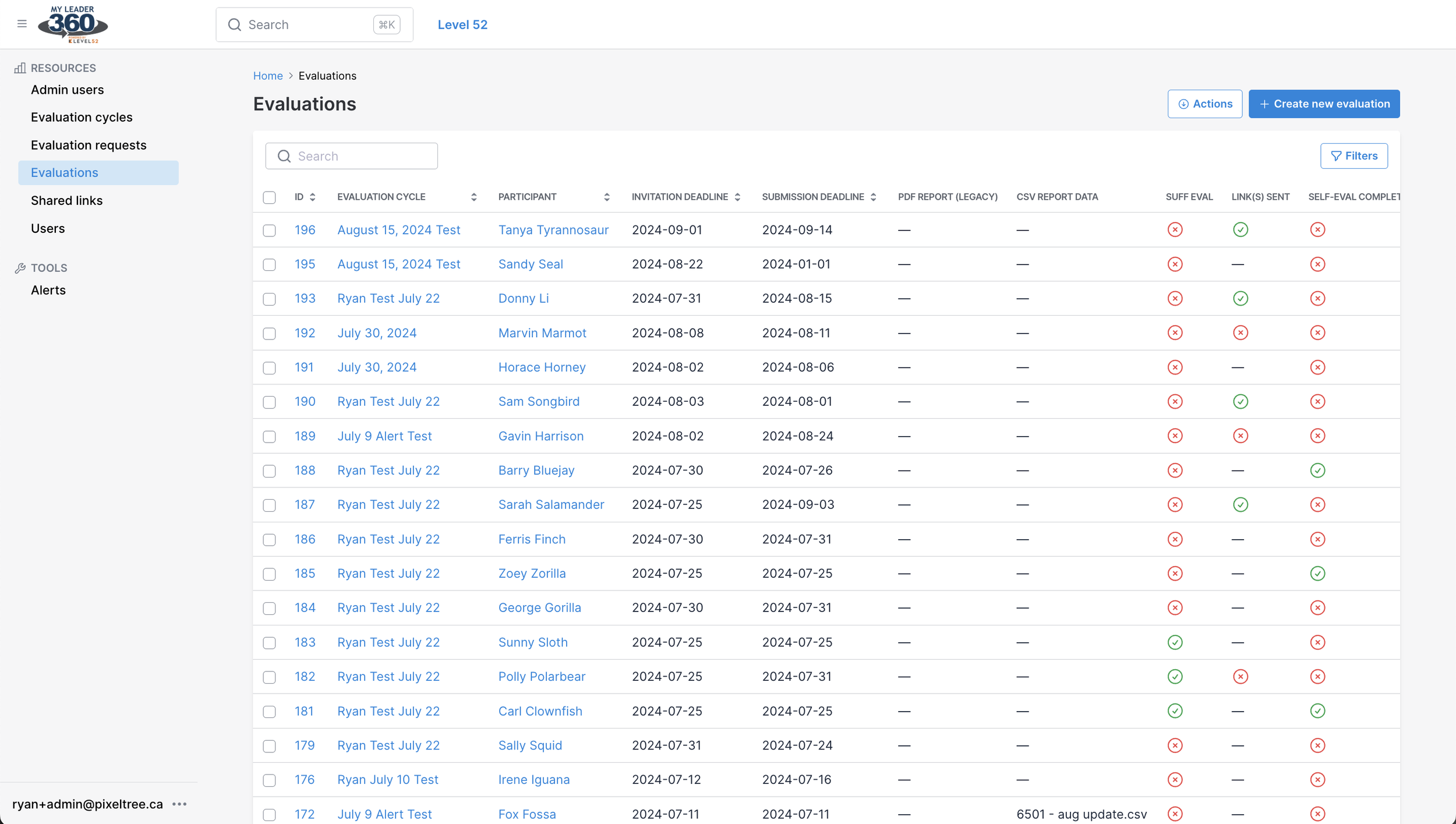
The evaluations page gives Admin oversight over all evaluations; the participants, deadlines, alerts, and completion status.
Alerts
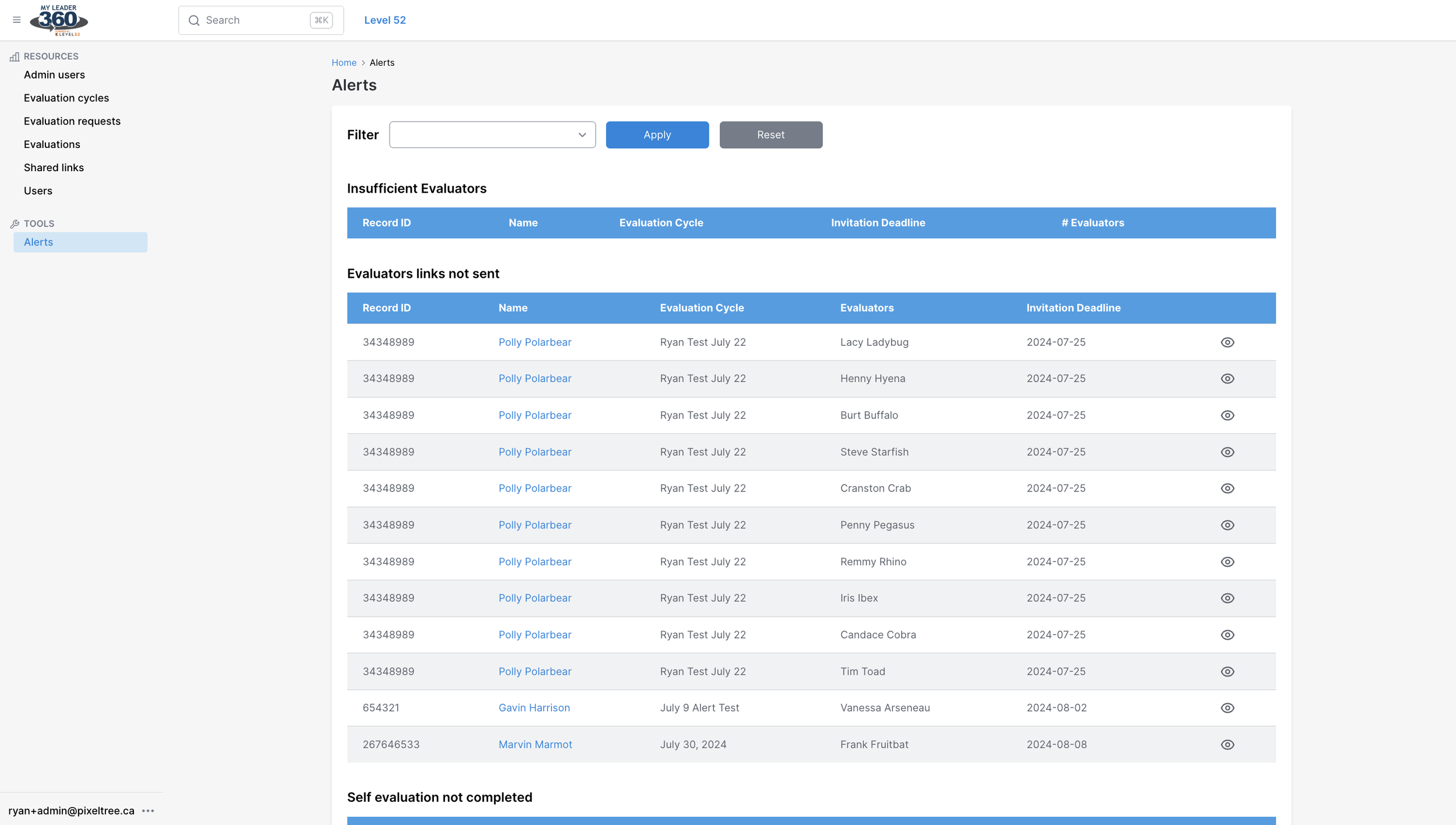
Alerts were a post-launch feature. After staff were using the platform for a couple years they realized they were spending a lot of time manually reviewing evaluations looking for participants who weren’t meeting certain criteria like inviting the minimum required surveyors and not completing their self-evaluations. This took a long time and participants would still slip through the cracks given the volume of data.
The solve here was to create a set of alerts for critical actions participants needed to complete:
Insufficient evaluators (they need at least 8)
Evaluations who were NOT sent survey links
Participants who have NOT completed their self-evaluations
Participants who have NOT been notified of their report.
Each alert is tied to one of the two deadlines if a participant hasn’t completed a task within [x] days of a deadline, that participant will appear on the admin’s alerts page under the triggered alert. Staff can then reach out to that user to resolve the alert.
This saves staff hours of time by only needing to view this page and catches all pending issues. Not only does this save Level52 time but it also ensures participants are getting the highest quality experience from their leadership workshops.