

ConsultMD
ConsultMD is a medical web app that speeds up the patient care process by simplifying the process of general physicians consulting with specialists. It takes minutes for general physicians to create a patient issue form and submit it to a specialist for review and diagnosis.
Design tools: Figma & Adobe Illustrator
User types: General Physician, Specialist, Admin
Tech stack: Ruby on Rails backend | Ruby on Rails frontend

“I am delighted to report that Ryan Fairweather and the team at Pixel Tree have delivered in spades. Several hours per month are now saved by automating key reports. When you sign in as an ADMIN, you have new options…”
Lorne Markowitz, ConsultMD
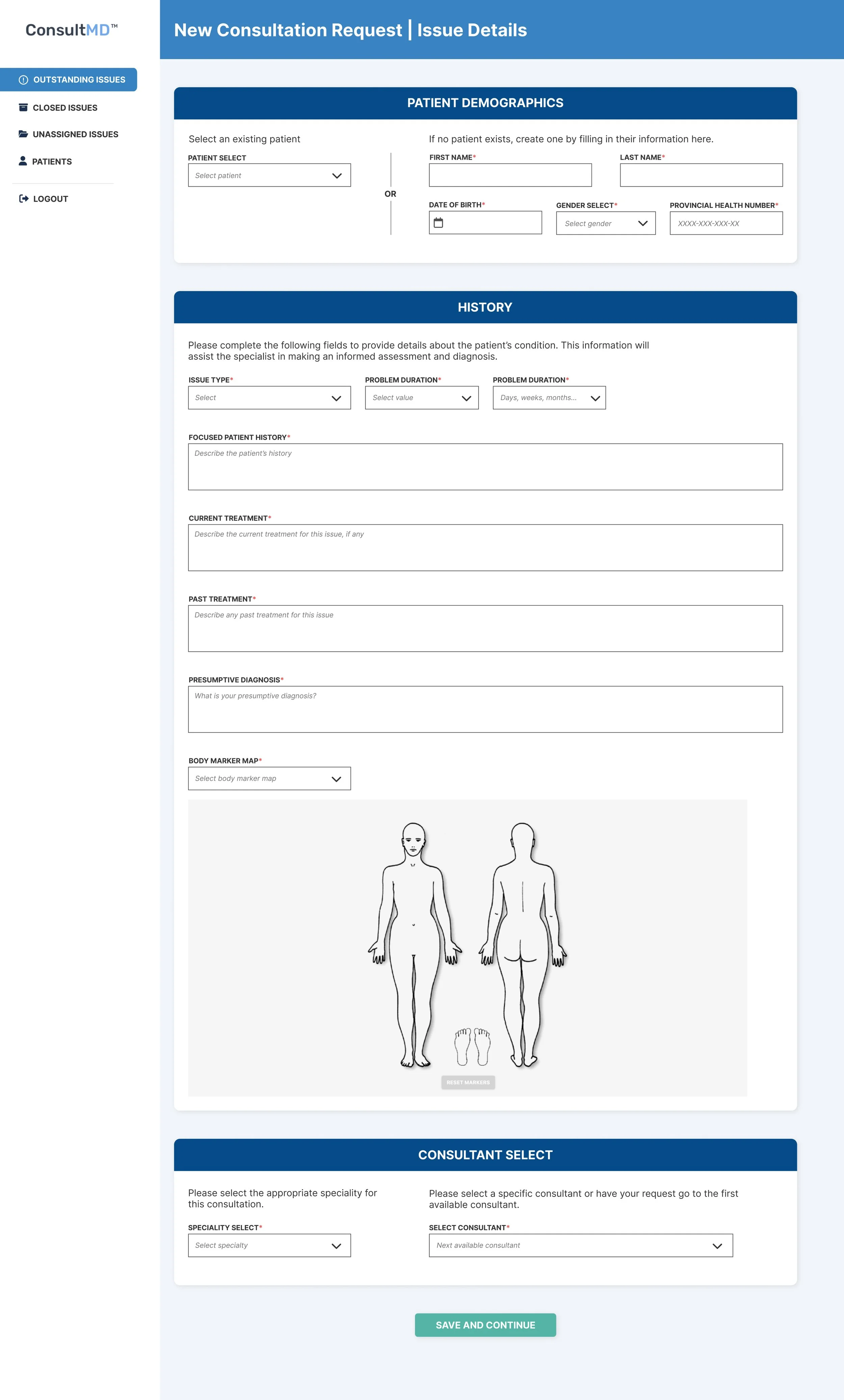
Create New Consult | Page 1 of 2
The consultation form mirrors real world forms so it’s familiar and simple for GPs to use the platform
GPs must select a speciality which then populates the list of available consultants with the selected specialty. By default the issue will become available to all specialists with the select speciality and works on a first-come-first-serve basis. The GP may select a specific specialist with a ConsultMD account.
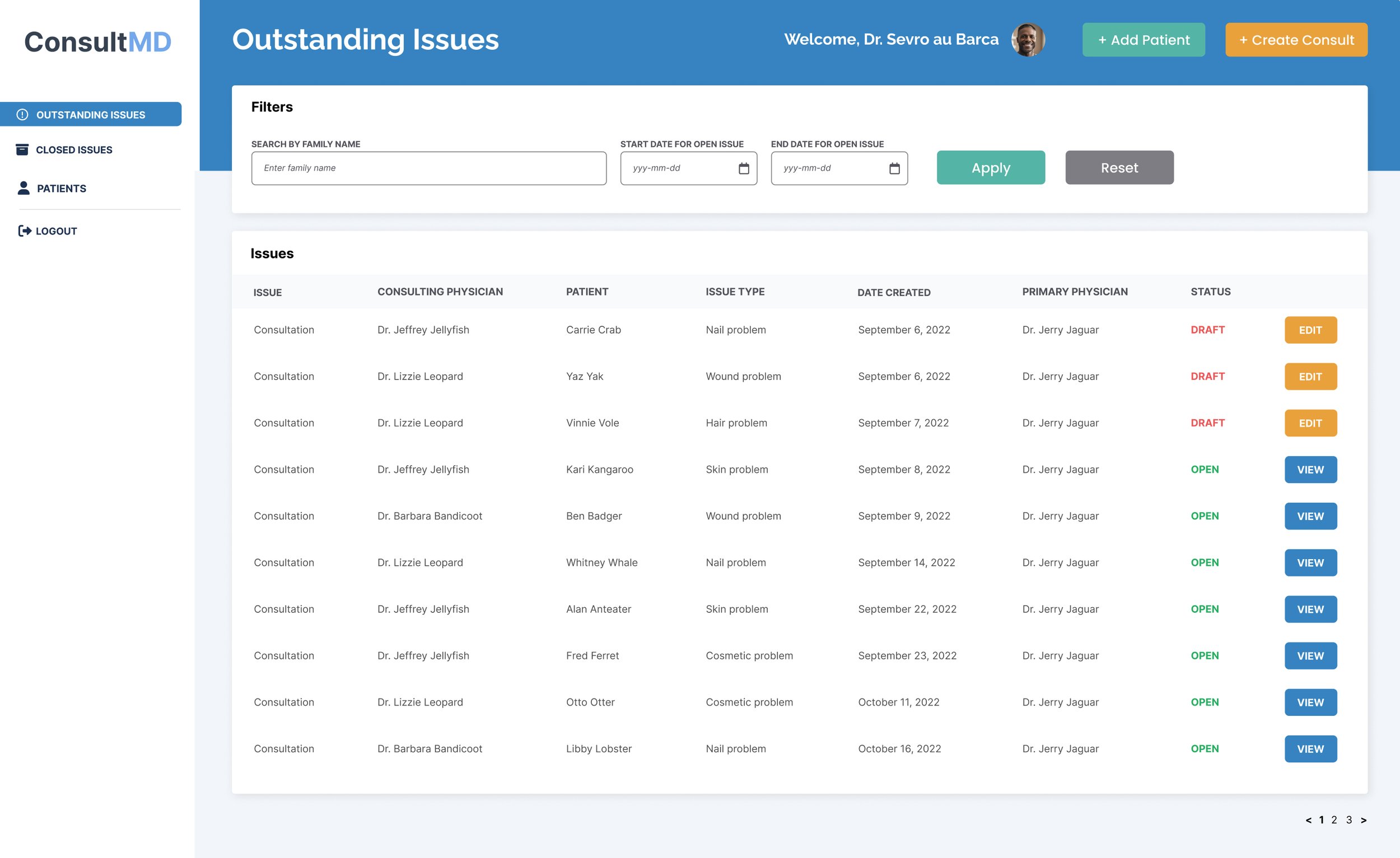
General Physician Dashboard | Outstanding Issues
GPs create new consultation requests. Open and Draft requests remain in this table until the Specialist has sent back their diagnosis report.
GPs may add patients in advance of adding them on the consult request form.
GPs can use the filter to quickly find issues

Create New Consult | Page 2 of 2
Page two is for uploading images and files to help the specialist make a proper diagnosis and treatment plan. If no images are added, a popup asks to confirm the decision.
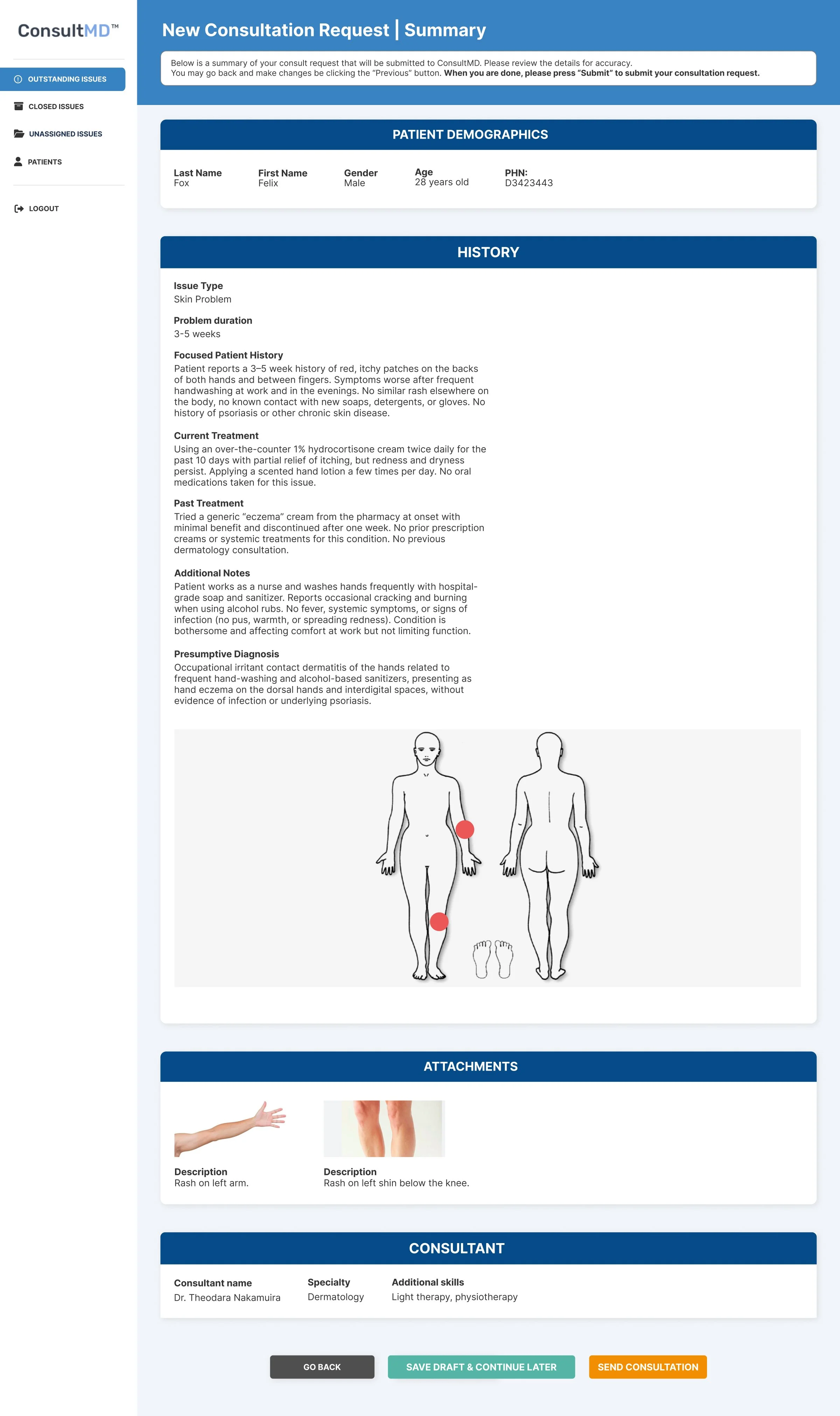
Consult Summary
GPs will view a summary of their consultation request before committing to sending it. Once sent, the issue cannot be edited.
GPs may save the issue as a draft and revisit it later to edit or send.
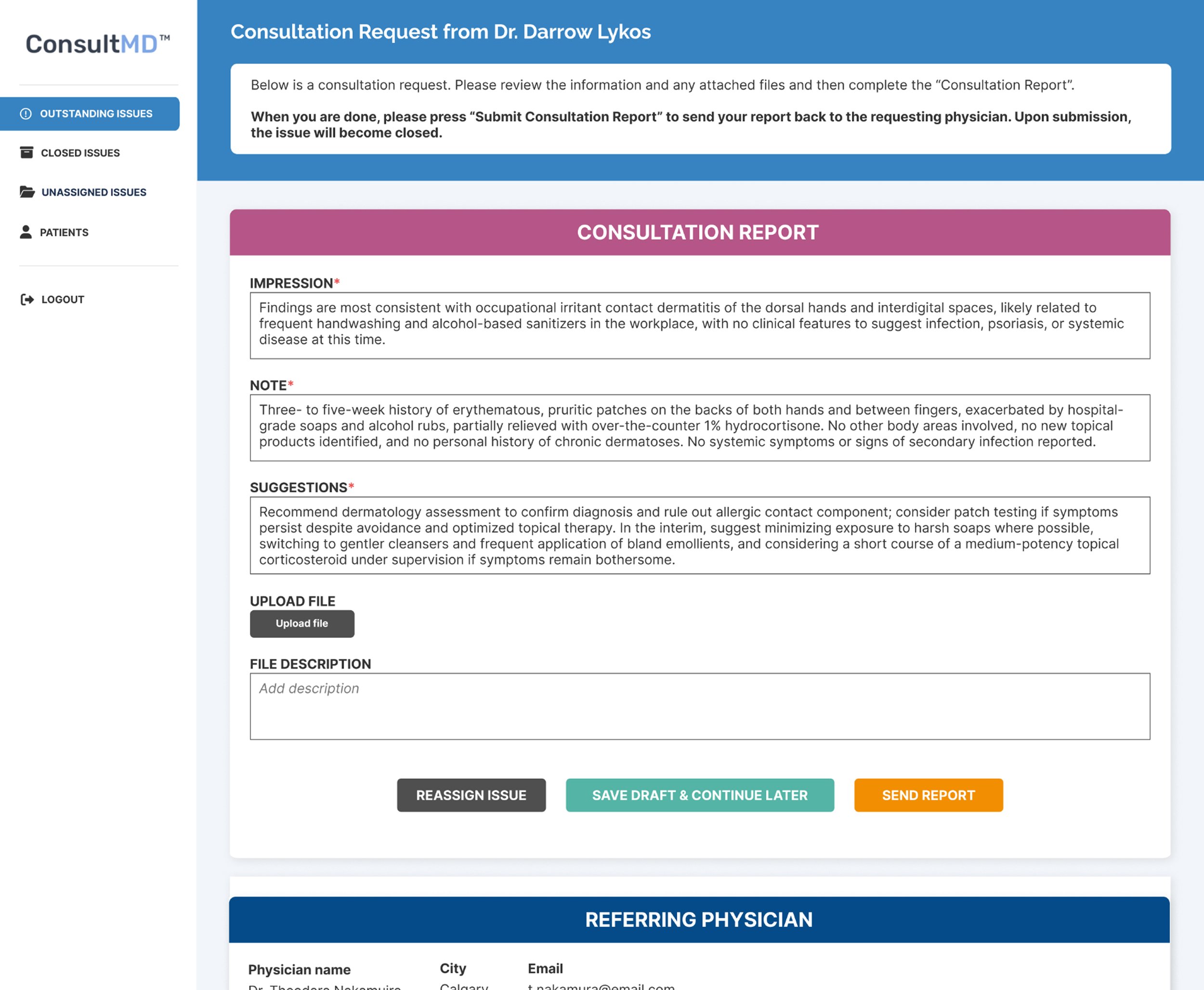
Specialist Report
Specialists have their own portal with a very similar dashboard with an Outstanding Issues page that serves as their inbox for consultation requests.
When a specialist selects an issue, they can view the issue details and complete the diagnosis form.
When the specialist submits the issue, it’s automatically considered closed and the issues will move to the Closed Issues table for both the GP and Specialist user types.
Closed issues can be submitted for billing outside the platform.
Admin Panel
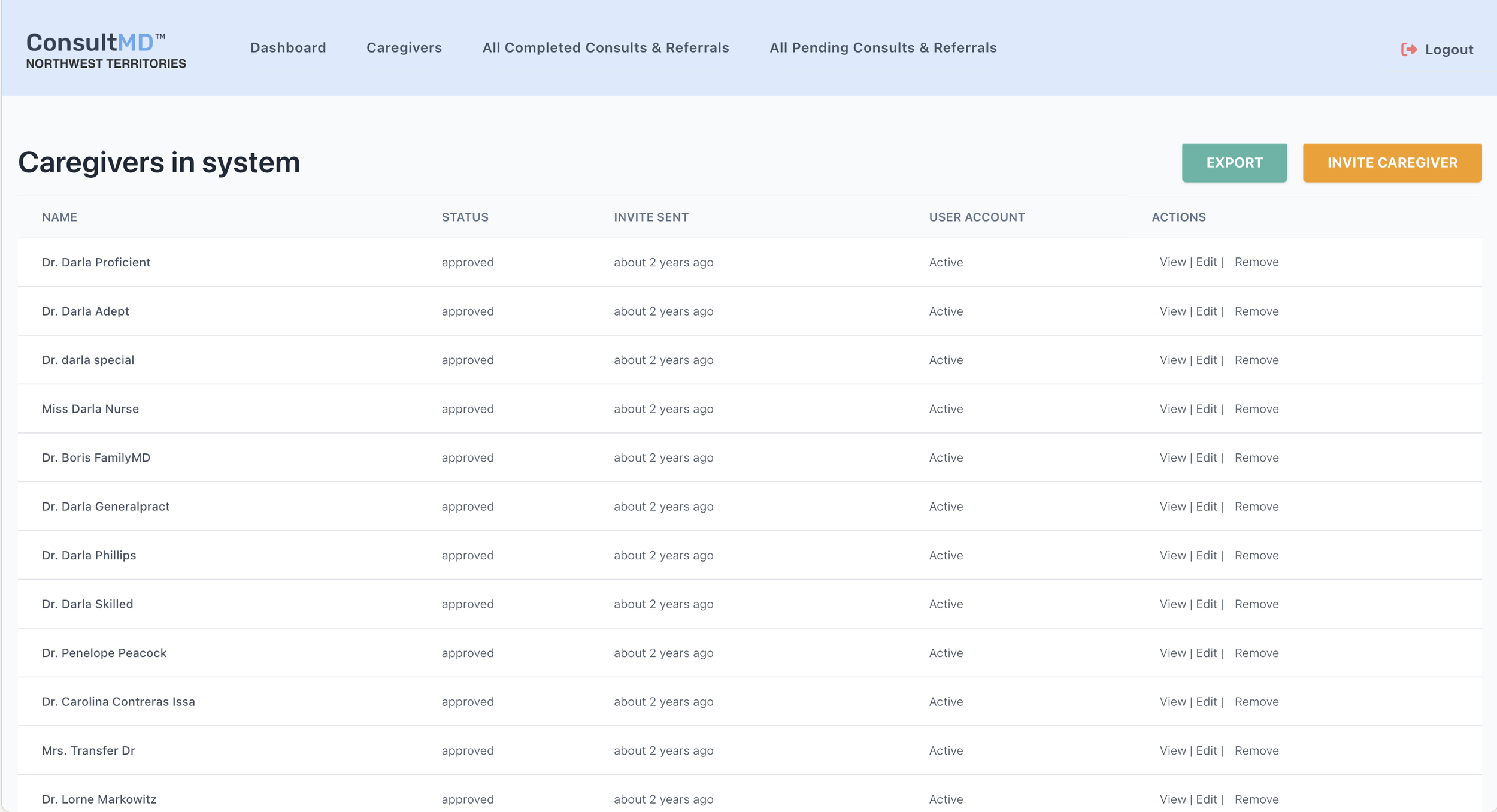
Any physician wanting to join ConsultMD must first complete an application that details their medical practice and history. Once submitted, the admin is notified by email and they can view physicians via the backend portal. From the caregiver’s page, the admin can view the application details and approve or deny the caregiver.
Admin can view all pending consultations in progress.
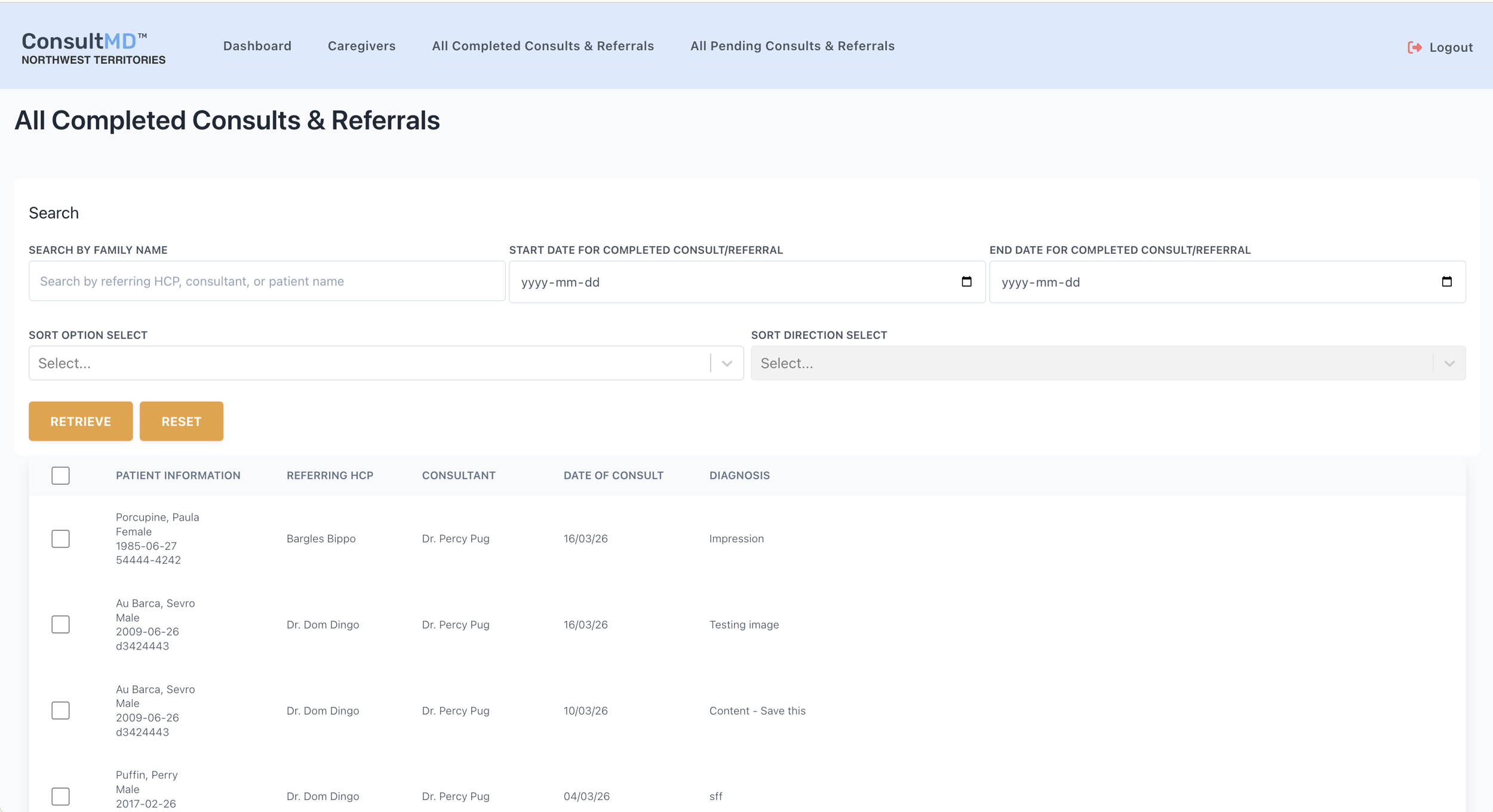
Admin can view all completed consultations.
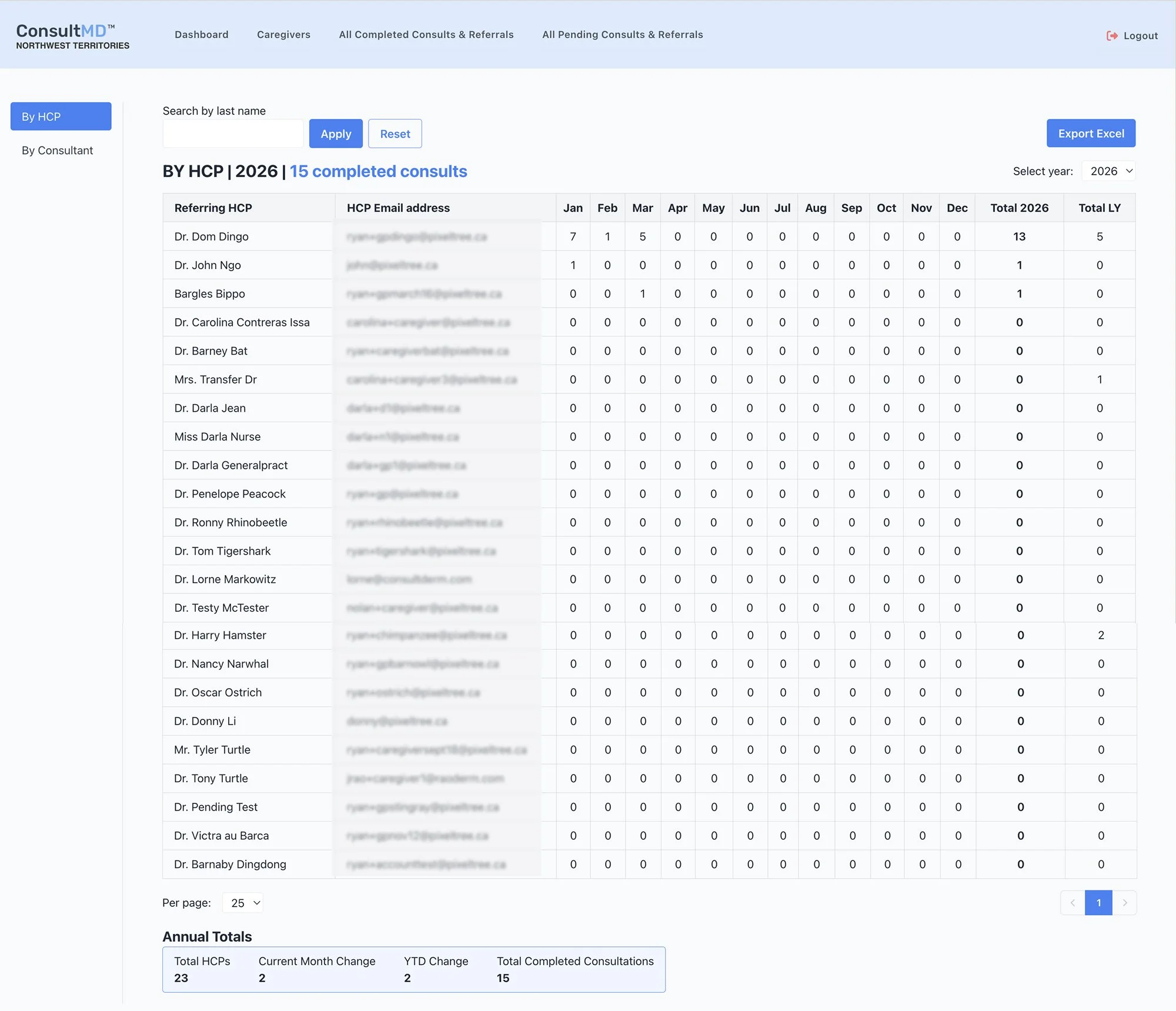
The newest addition to the admin panel are the tables showing By HCP, By Consultant, and Frequency. Previously, the admin would export data from the consultations pages and build his own spreadsheets. These new tables save the admin 8-10 hours every month by calculating data and exporting it into ready-to-analyze spreadsheets. An 8+ hours process is now 1 second!